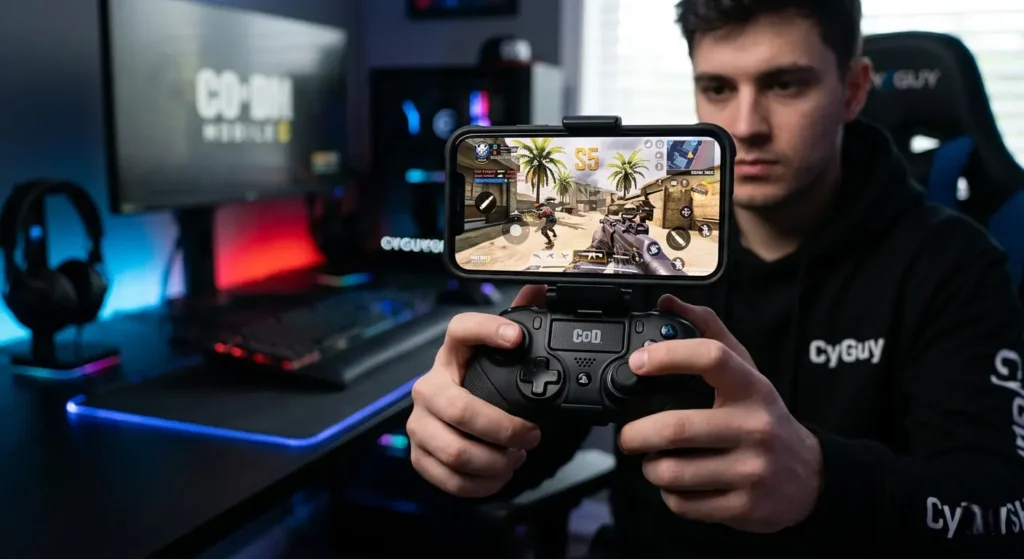
The mobile gaming landscape just experienced a massive shift. With the unexpected news that Call of Duty: Warzone Mobile has gone offline, millions of competitive mobile gamers are flooding back to the undisputed king of handheld first-person shooters: Call of Duty: Mobile (CoD Mobile) Season 5.
Whether you are pushing to hit Legendary rank in Multiplayer or dominating the isolated battle royale maps, playing with touch controls simply won’t cut it anymore. To compete with the top-tier players, you need the precision, speed, and tactile feedback of a physical gamepad.
In this guide, we break down the absolute best mobile gaming controllers for CoD Mobile Season 5 to help you maintain your competitive edge.
Why Upgrading Your Controller Matters in Season 5
With the influx of former Warzone Mobile veterans returning to CoD Mobile, public and ranked lobbies are sweatier than ever. Playing claw style on a glass screen causes hand fatigue, blocks your field of view, and introduces input lag.
A premium mobile controller gives you:
- Console-Grade Precision: Dual-analog sticks make micro-adjustments for long-range sniper shots incredibly smooth.
- Tactical Triggers: Instantly ADS (Aim Down Sights) and fire without accidental screen misclicks.
- Ergonomic Grip: Play for hours during ranked grinds without experiencing hand cramps.
If you are looking to completely transform your handheld setup with tactical, military-grade gaming peripherals, make sure to check out the premium selection available at CyGuyshop.
Top Mobile Gaming Controllers for CoD Mobile Season 5
1. The Mobile Controller Grip (Best for Universal Compatibility)
If you prefer keeping your phone naked but want the ergonomic feel of a console controller, a dedicated mobile grip attachment is the ultimate stealth upgrade. It allows you to retain ultra-low latency touch responsiveness while giving your palms a comfortable, textured surface to hold onto.
- Pros: Fits almost every iPhone and Android device; no battery or charging required.
- Best For: Long grinding sessions where hand comfort is your number one priority.
Looking for the perfect tactical grip to elevate your mobile setup? Browse the latest inventory on CyGuyshop’s official website to find the perfect match for your device.
2. The Bluetooth Ergonomic Gamepad (Best Console Experience)
For players who want the familiar layout of an Xbox or PlayStation controller, a full-sized Bluetooth gamepad with an integrated phone clip is the way to go. These controllers offer full-sized joysticks, clicky D-pads, and responsive shoulder bumpers that make slide-canceling and jump-shotting seamless in CoD Mobile.
- Pros: Familiar layout, solid weight distribution, excellent battery life.
- Best For: Players transitioning from console gaming over to mobile esports.
You can pick up a tournament-ready mobile gamepad right now by exploring the gaming gear lineup over at CyGuyshop.
3. The Type-C Direct Connection Controller (Best for Zero Latency)
When every millisecond counts in a close-quarters gunfight, wireless lag can be the difference between a win and a loss. A wrap-around controller that plugs directly into your phone’s USB-C or Lightning port eliminates input delay entirely, offering instantaneous button mapping.
- Pros: Zero input lag, pass-through charging, compact and portable switch-like form factor.
- Best For: Competitive ranked players who refuse to lose a gunfight due to wireless latency.
How to Connect and Optimize Your Controller for CoD Mobile
CoD Mobile features native controller support, but you need to set it up correctly to avoid running into aiming issues. Follow these steps to optimize your gameplay in Season 5:
- Pairing Your Device: Go to your phone’s Bluetooth settings and pair your controller, or slide your phone into a direct-connect mobile dock. You can find highly compatible devices directly through the CyGuyshop storefront.
- Enable Controller Support: Open CoD Mobile, head to Settings, tap the Controller tab, and ensure “Enable Controller Support” is checked.
- Adjust Your Sensitivity: Controller analog sticks move differently than touchscreens. We highly recommend lowering your initial horizontal and vertical sensitivities, then gradually raising them as your muscle memory adapts.
- Optimize Button Mapping: Dedicate your tactical bumpers to jumping and sliding so you never have to take your thumbs off the aiming sticks.
Call of Duty: Mobile Controller Matchmaking FAQ
Will I get banned for using a controller in CoD Mobile?
No. CoD Mobile fully allows and supports physical controllers. You will never get banned for using an approved gamepad or grip attachment.
How does matchmaking work with a controller?
To keep the game fair, Activision separates matchmaking pools. If you use a hardware controller, you will be placed in lobbies with other controller users or emulator players. If you play in a party where even one teammate uses a controller, your entire squad will search for controller-based lobbies.
Does a mechanical phone grip trigger separate matchmaking?
No! If you use an ergonomic mechanical grip or non-electronic trigger system that merely assists your physical hands without digital mapping, the game still registers you as a touch player. If you want to bypass controller lobbies while keeping a tactical physical advantage, check out the specialized mechanical gear over at CyGuyshop.
Final Verdict: Which Controller Should You Choose for Season 5?
With Warzone Mobile stepping aside, CoD Mobile Season 5 is the definitive competitive FPS arena on mobile right now. Leaving your rank up to touch-screen controls is holding your gameplay back.
- For zero-latency and maximum sweat potential, choose a direct Type-C connection gamepad.
- For pure comfort and console familiarity, opt for a Bluetooth Ergonomic Gamepad.
- For an affordable, lightweight upgrade that preserves touch matchmaking, go with a Tactical Mobile Grip.
Ready to dominate the leaderboard and secure your next Nuke? Equip your phone with premium, military-inspired gaming accessories today by visiting CyGuyshop and upgrading your loadout before jumping into your next ranked match.